
An AI rendering company scale quality strategy works by pairing generative AI tools with human art direction at fixed checkpoints, so studios multiply output volume while keeping every deliverable client-ready. This is not automation replacing artists; it is automation removing the repetitive 60% of the workflow so trained rendering artists spend their time on the 40% that actually determines whether a render sells a property. The result is real estate rendering companies that used to deliver 20 renders a month now delivering 80, at the same or better quality bar.
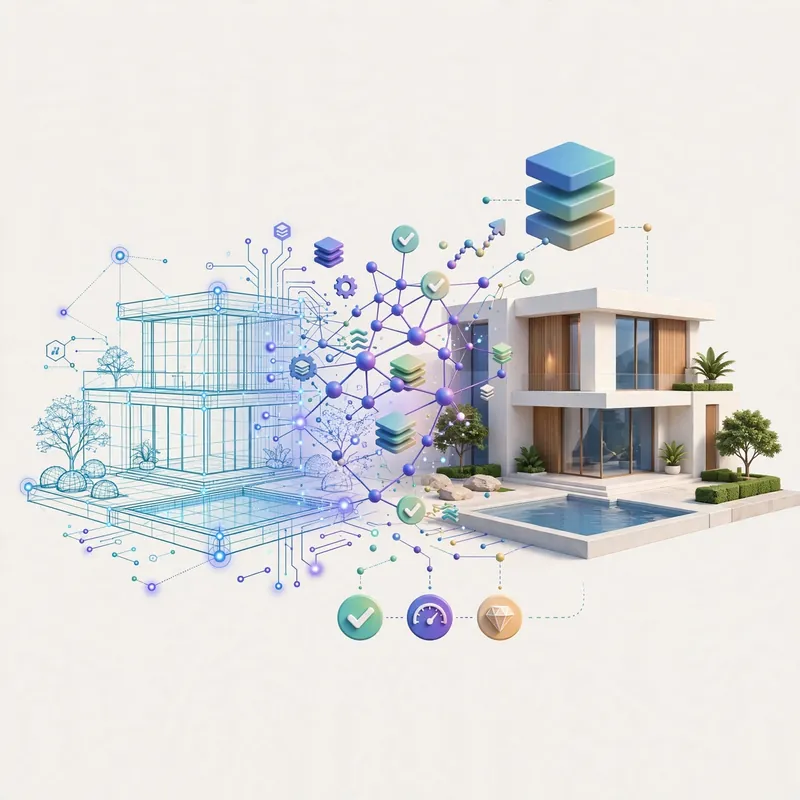
If you have ever waited two weeks for a single exterior rendering, or paid a premium because your rendering company was capacity-constrained, this shift affects you directly. Studios that figure out how to combine architectural rendering fundamentals with AI-assisted production are quietly becoming the fastest, most cost-competitive option on the market, without sacrificing the polish that gets listings approved and sold.
What “Scaling Quality with AI” Actually Means in Rendering Production
Before going further, it helps to define the term precisely, since it gets thrown around loosely in marketing copy.
Definition: Scaling quality with AI in rendering production means using machine learning tools at specific, controlled stages of a render’s lifecycle – lighting simulation, texture generation, upscaling, variation generation, and post-production cleanup – while keeping human artists in control of composition, brand accuracy, and final sign-off.
It does not mean:
- Typing a prompt into an image generator and shipping the output as a finished rendering
- Removing artists from the pipeline entirely
- Skipping client revisions because “the AI already did it”
It does mean:
- Cutting the hours spent on repetitive tasks like foliage placement, sky replacement, and material texturing
- Generating dozens of lighting and material variations for client selection in minutes instead of days
- Using AI-assisted upscaling to hit 4K and 8K delivery specs without re-rendering from scratch
- Freeing senior artists to focus on composition, camera angle, and the details that make a render believable
Why This Shift Is Happening Now
Three forces are converging at once, and studios that ignore any one of them fall behind.

1. Client Expectations Have Moved Up, Not Down
Developers and agents comparing rendering vendors now expect faster turnaround as a baseline, not a premium feature. A firm that still quotes three-week timelines for a standard exterior package is competing against studios quoting five to seven days for comparable quality.
2. Rendering Engines Have Absorbed AI Natively
Modern render engines (V-Ray, Corona, Lumion, D5 Render, and Unreal Engine-based pipelines) now ship with AI denoising, AI-assisted material generation, and neural upscaling built directly into the render pipeline. This is not a bolt-on tool anymore – it is infrastructure.
3. Margins in Rendering Are Under Pressure
As explained in our breakdown of real estate rendering pricelist structures, per-image pricing has compressed even as raw scene complexity has gone up (more angles, more material options, more revision rounds expected per project). Studios need higher throughput per artist-hour just to protect margin, and AI-assisted steps are currently the only lever that moves that number meaningfully without cutting quality.
The AI-Augmented Rendering Workflow, Step by Step
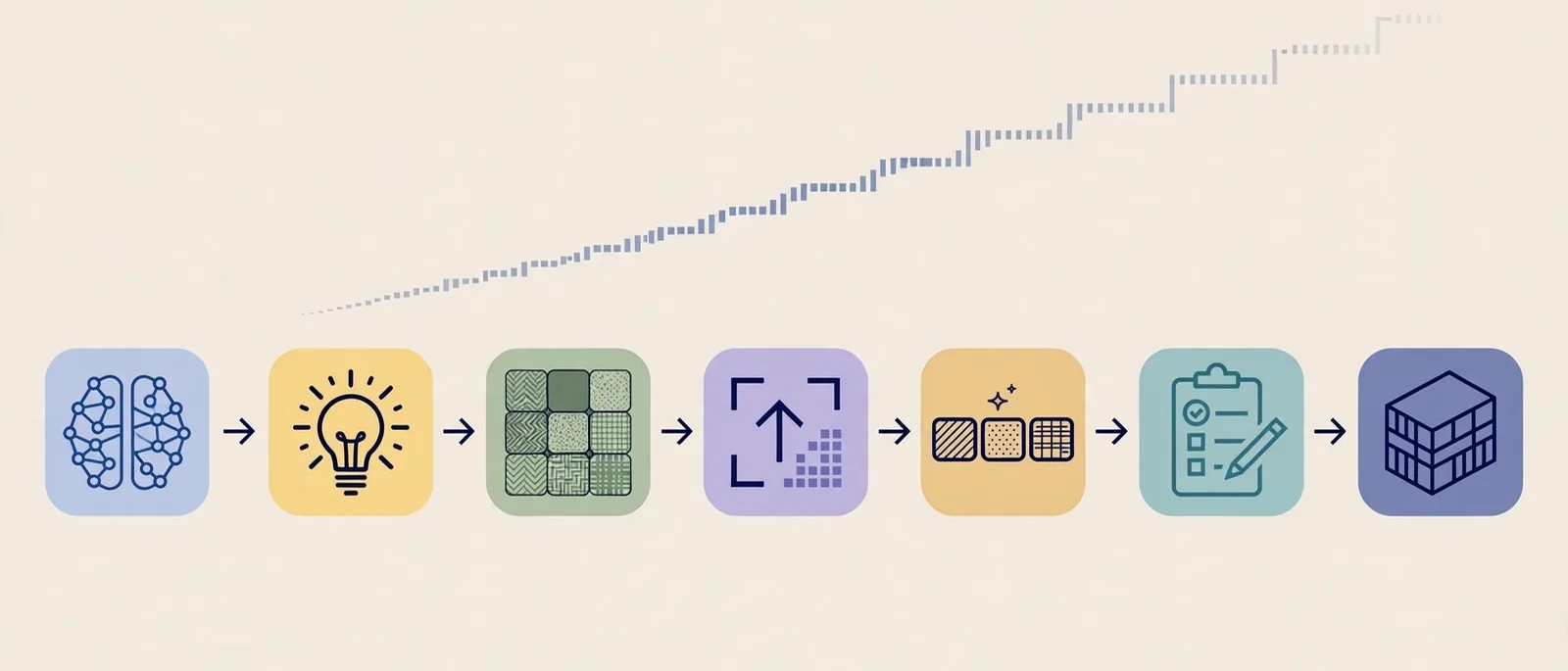
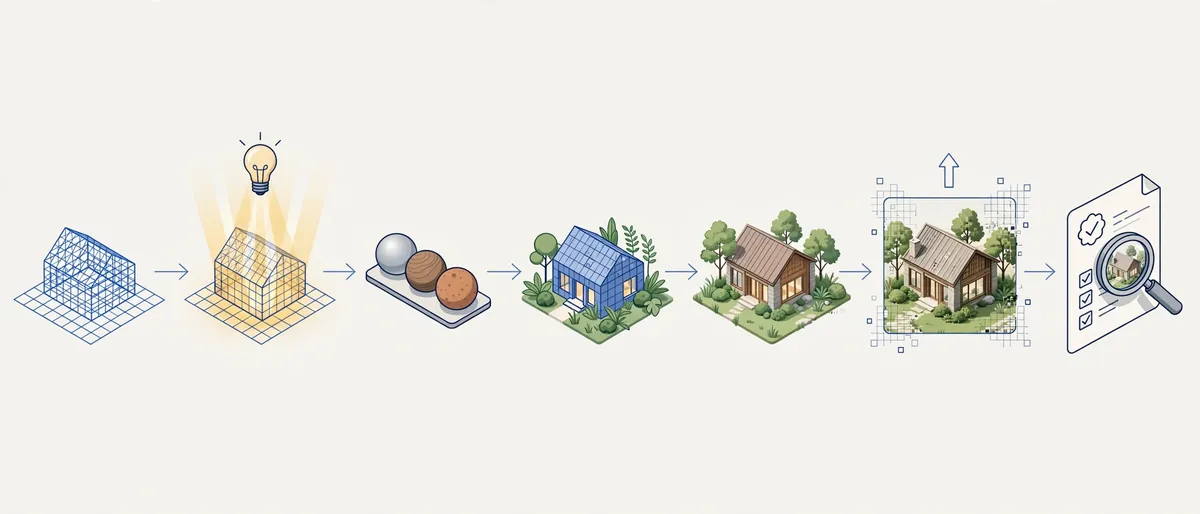
Here is how a well-run studio actually structures a project when AI tools are integrated properly, rather than bolted on as an afterthought.
- Brief intake and scene setup – Artists build the 3D model and scene from architectural plans, following the same process outlined in how to prepare home plans for 3D exterior rendering. No AI involved here; this stage is pure modeling accuracy.
- Lighting and material draft pass – AI-assisted preview renders generate multiple lighting conditions (dusk, midday, overcast) in a fraction of the time a full-quality render pass would take, so the client or art director can pick a direction early.
- Material and texture variation – Instead of manually re-texturing a facade five times to test brick, stucco, and stone options, AI material generation produces variations from a base mesh, which artists then refine by hand.
- Foliage, staging, and entourage placement – AI-assisted asset placement handles repetitive elements like trees, cars, and pedestrians, which historically ate up disproportionate artist time relative to their visual impact.
- Final render pass – This stage still runs on traditional path-tracing render engines for physical accuracy; AI denoising simply reduces the sample count needed to hit a clean result, cutting render farm time substantially.
- AI-assisted upscaling and post-production – Neural upscaling brings a render up to 4K or 8K delivery specification without re-rendering the scene, and AI-assisted color grading tools speed up the final polish pass.
- Human quality control and sign-off – Every render is manually reviewed against the brief before delivery. This step is non-negotiable and is where the “quality” half of the equation is actually protected.
Common Mistakes Studios Make When Adopting AI Tools
Not every studio gets this transition right. These are the mistakes that show up most often when a rendering company tries to move fast without a plan.
- Skipping the human QC pass entirely. AI-generated variations can introduce subtle artifacts – warped geometry, inconsistent shadows, mismatched perspective – that are invisible in a thumbnail but obvious in a full-size delivery.
- Using AI upscaling on a poorly composed base render. Upscaling sharpens what is already there; it does not fix a bad camera angle or incorrect lighting direction.
- Over-promising turnaround based on AI speed alone. Modeling accuracy, client revisions, and QC still take real time, and studios that quote based purely on AI-assisted render speed end up missing deadlines.
- Ignoring client-specific brand and material accuracy. AI material generation is trained on general datasets; without an artist correcting brand-specific finishes (a developer’s exact stone color, a specific window frame profile), renders drift away from what was actually approved.
- Treating every project the same way. A quick concept render for internal design review can lean much harder on AI shortcuts than a final marketing render used in sales collateral, which still needs full artist attention.
Expert Tips for Getting the Best of Both Worlds

- Set fixed AI checkpoints, not a free-for-all. Decide in advance which stages of the pipeline use AI tools (lighting drafts, material variation, upscaling) and which stay fully manual (final composition, brand-critical materials).
- Keep a “reference library” of client-approved materials and finishes. This gives AI material generation tools a starting point that already matches what the client has approved before, cutting revision rounds.
- Batch similar scenes together. AI variation tools work best when generating multiple options from a similar base scene – grouping a project’s interior shots or a subdivision’s repeated unit types into one batch maximizes the speed gain.
- Train junior artists on QC before automation, not after. An artist who understands why a shadow looks wrong will catch AI-introduced errors faster than one who has only ever worked with AI-assisted defaults.
- Track hours saved per stage, not just total turnaround. This data is what lets a studio price competitively without guessing, and it is the same discipline used when comparing 3D rendering versus 3D modeling service tiers for client quoting.
Traditional Workflow vs. AI-Augmented Workflow
| Production Stage | Traditional Workflow | AI-Augmented Workflow |
|---|---|---|
| Lighting studies | Manual test renders, 1-2 per day | Multiple lighting drafts generated same day |
| Material variations | Re-textured and re-rendered by hand per option | Base variations generated, then hand-refined |
| Foliage and entourage | Manually placed, asset by asset | AI-assisted placement, manually adjusted |
| Noise reduction | High sample counts, longer render times | AI denoising cuts required samples significantly |
| Upscaling to 4K/8K | Re-rendered at target resolution | Neural upscaling from a lower base resolution |
| Final QC | Manual review | Manual review (unchanged – still fully human) |
| Typical turnaround (exterior package) | 10-15 business days | 5-8 business days |
Software and Tool Comparison for AI-Assisted Rendering
| Tool Category | Examples | Primary Use in Pipeline |
|---|---|---|
| Render engines with native AI denoising | V-Ray, Corona Renderer, D5 Render | Faster clean renders at lower sample counts |
| Neural upscaling tools | Topaz Gigapixel, built-in engine upscalers | 4K/8K delivery without re-rendering |
| AI material and texture generation | Substance 3D AI tools, engine-native generators | Rapid material variation testing |
| AI-assisted scene population | Entourage and asset libraries with AI placement | Foliage, vehicles, pedestrian staging |
| Post-production AI tools | AI color grading and cleanup plugins | Final polish pass before delivery |
For a deeper look at how software choice affects overall output, our guide on the best real estate 3D rendering software breaks down engine-level tradeoffs in more detail.
How This Affects Developers, Agents, and Marketing Teams

The practical upside for clients is straightforward:
- Faster concept-to-approval cycles. Multiple lighting and material options can be reviewed in a single round instead of across several weeks, which speeds up the same approval process covered in how real estate developers win approvals and sales using 3D renderings.
- More affordable iteration. Because variation generation is cheaper, clients can request more design options within the same budget rather than committing early to a single direction.
- Consistent quality across large projects. For projects like apartment complex 3D rendering with dozens of unit types and angles, AI-assisted batching keeps visual consistency across the full set instead of quality dropping off on the later units.
- Lower cost per deliverable at scale. Studios passing on their efficiency gains can hold or lower pricing even as material and labor costs rise elsewhere.
Frequently Asked Questions
Does using AI in rendering make the final images look artificial or “fake”?
No, when implemented correctly. AI tools in this workflow are used for lighting drafts, material variation, and upscaling – not for generating the final image wholesale. The final render still goes through the same physically based render engine and human QC review as a traditional rendering.
Will AI rendering companies eventually replace human artists entirely?
Unlikely in the near term. The tasks AI handles well – variation generation, denoising, upscaling – are the repetitive parts of the pipeline. Composition, brand accuracy, camera framing, and final quality judgment still require a trained artist, which is why an AI rendering company scale quality approach keeps artists central to the process rather than removing them.
How much faster is an AI-augmented rendering workflow compared to a traditional one?
Turnaround varies by project complexity, but studios using AI-assisted denoising, material generation, and upscaling commonly cut exterior package turnaround from 10-15 business days down to 5-8 business days, without reducing revision rounds or quality checks.
Does a faster AI-assisted workflow cost clients more?
Generally the opposite. Because AI tools reduce artist-hours spent on repetitive tasks, studios can hold pricing steady or lower it while increasing throughput, which is part of why understanding a real estate rendering pricelist structure matters when comparing vendors.
What should I ask a rendering company to confirm they use AI responsibly?
Ask specifically which stages of their pipeline use AI tools and which stages remain fully manual, whether every render goes through human QC before delivery, and whether they can show side-by-side examples of AI-assisted versus fully manual output at the same quality tier.
Conclusion
The studios winning right now are not the ones that replaced artists with AI, and they are not the ones that refused to touch AI tools at all. They are the ones that built a disciplined pipeline: AI handles the repetitive 60%, artists handle the judgment-driven 40%, and every render passes a manual QC gate before it reaches a client. That is the actual mechanism behind an AI rendering company scale quality claim, and it is measurable in turnaround time, consistency across large projects, and pricing stability.

If your current rendering vendor cannot explain exactly where AI fits into their workflow and where a human takes over, it is worth a conversation. Talk to The Real Estate Rendering Company about how this workflow applies to your next project, and see the turnaround difference for yourself.